The $0.00 paywall
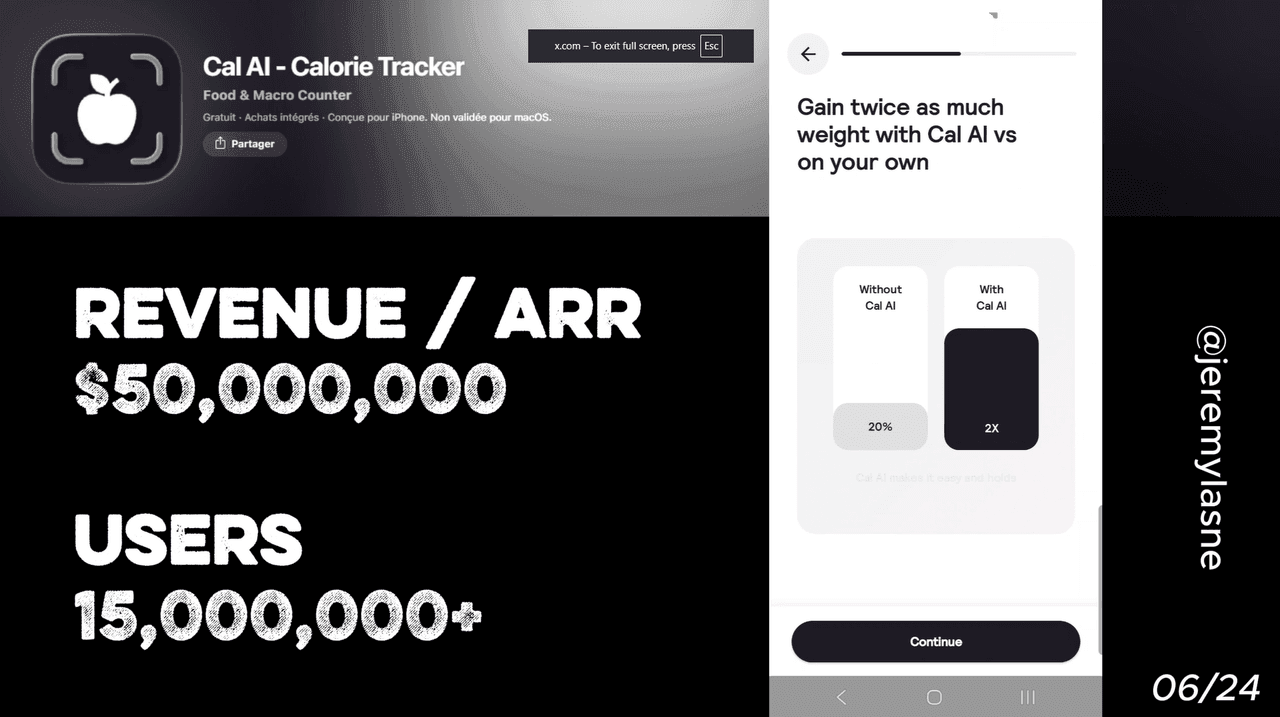
Cal AI is an AI photo-based calorie tracker built by two teenagers, acquired by MyFitnessPal in March 2026. It hit $50M+ ARR and 15M+ downloads before acquisition. Their onboarding runs 32 screens. It opens with a product demo video. It includes deep personalization, animated plan generation, a mid-flow rating ask, a referral code entry, and a notification ask. The paywall CTA reads "Try for $0.00." The team ran 61 meaningful paywall experiments and grew monthly revenue more than 3x in 10 months. This article breaks down every screen and the mechanism underneath.
Why Cal AI Is Worth Studying
Cal AI is not a better calorie tracker. The category has hundreds of apps, most of them feature-equivalent. What Cal AI built was the best onboarding-to-paywall flow in the category, and it is the reason two teenage founders turned a photo-based calorie counter into a $35M ARR business and a MyFitnessPal acquisition inside 18 months.
Cal AI gets 20,000 to 30,000 new downloads every single day. That volume, running through a 32-screen onboarding designed down to the pixel, is what produced one of the fastest-growing consumer app revenue curves of the last decade.
$35M ARR. 15M+ downloads. 32 screens of onboarding. Here is how it works.
The Numbers
The headline figures behind the teardown:
- ARR at acquisition: $35M to $50M
- Total downloads: 15M+
- Monthly downloads: ~700K
- Team size: 17 people
- Founded: 2024, by two teenagers
- Acquired: MyFitnessPal, March 2026
- Paywall experiments run: 61
- Monthly revenue growth over 10 months: 3x+
The Full Cal AI Onboarding Breakdown
Screen 1: A demo video, not a value proposition
Cal AI does not open with a tagline. It opens with a video of the app working. You see a phone camera pointed at a plate of food. You see the AI identify it. You see the macros populate in real time.
This is the single most effective way to open an app with a demonstrable core feature. You are not explaining what the product does. You are showing it working on something the user recognizes, a real meal, a real plate, before they have answered a single question. The first screen eliminates the biggest conversion killer in any new category: "I don't understand what this actually does."
By the time screen 2 loads, the user already knows exactly what they are getting. Every subsequent screen is closing a decision they have already made.
32 screens of personalization, with animations between every input
Cal AI's onboarding guides you through setting a calorie target based on your stats, activity level, and goal: lose, maintain, or gain. This setup is retained whether you upgrade or not, so the app remembers your targets even after the trial ends.
The questions cover goal type, current weight, target weight, height, age, activity level, dietary preferences, and meal habits. Standard personalization content. What makes Cal AI different is the execution between questions.
Every data input triggers an animation. A progress bar moves. A graph shifts. A number updates in real time showing what your daily calorie target will be if you keep answering. The user is not filling in a form. They are watching a plan build itself around them, in real time, with their own numbers.
Showing the AI food scan early gives a taste of the core value prop before the personalization flow even starts. The animations do the same thing across 32 screens: they maintain the sensation of product use, so the onboarding never feels like administrative overhead before you get to the real app.
Mid-flow: referral code entry
At a point during onboarding, Cal AI offers a referral code input field. You can enter a code from a friend to unlock a reward. The app's referral program offers a $10 reward for each friend who signs up, creating a direct incentive for user-led growth.
The positioning of this inside onboarding, not in a settings menu, not post-paywall, is deliberate. It serves two functions simultaneously. First, it activates the referral loop at the highest engagement moment: a user who just downloaded the app and is mid-setup is the most motivated version of that user. Second, it signals community: other people are using this, they are sharing codes, there is a social layer here.
Every referral code entered in onboarding is a compounding growth event. The friend who shared it is retained through the reward. The new user who entered it is connected to an existing user, which increases their own retention.
Mid-flow: notification ask
After enough personalization screens to have built real investment, Cal AI asks for notification permission. The framing is around your goals: reminders to log, streak alerts, progress check-ins.
By this point in the onboarding the user has a calorie target, a weight goal, and a timeline. The notification ask is not an abstract permission request. It is "do you want to be reminded about the plan you just spent 15 screens building?" That reframe produces a much higher yes rate than a cold notification ask on screen two.
Mid-flow: rating ask
Cal AI asks for an App Store rating before the paywall appears. Same principle as Yazio and Finch: capture the rating at peak emotional investment, before friction.
At this stage the user has seen the demo video, personalized their plan across 20+ screens, watched animations build their calorie targets in real time, and is about to see a custom plan generated. The emotional state is high. The paywall has not appeared. There is no reason to be frustrated or disappointed yet.
Five stars. The timing makes it almost inevitable. And those reviews make the App Store listing convert better for every organic user who finds the app afterward, making the mid-flow rating ask one of the highest-ROI screens in the entire onboarding.
The animated custom plan generation
Before the paywall, Cal AI generates a personalized plan with a full animation sequence. The user's name appears. Their daily calorie target populates. Their macro split displays. A projected weight loss curve animates from today to their goal date.
This screen is doing three things at once. It creates a moment of perceived delivery, you have received something before you have paid for anything. It makes the abstract (a subscription) feel concrete (this specific plan, your name, your numbers, your timeline). And it creates loss aversion: closing the paywall now means closing the plan that was just built for you specifically.
The projection is not a feature. It is a visual representation of what you are buying, in your own numbers, with your own goal. It is the most effective sales screen in the app, and it comes before the price.
The paywall: "Try for $0.00"
The CTA reads "Try for $0.00." This is technically accurate. The 3-day trial costs nothing. Payment details are required upfront, but no charge is made during the trial period.
The "$0.00" framing is categorically more effective than "Start free trial" or "Try free for 3 days." The number zero eliminates the psychological weight of any purchase decision. When you see "$0.00," you are not making a buying decision. You are making a no-cost decision. The subscription starts later. The resistance to pressing the button is minimal.
Cal AI ran 61 meaningful paywall experiments, testing layouts, offer framing, pricing presentation, urgency treatments, and creative direction against live traffic. The "$0.00" CTA survived those 61 experiments. It is not a design choice. It is a tested, validated conversion mechanism.
The annual vs monthly comparison does the rest. The most common pricing is $9.99/month or $29.99/year, about $2.49 per month billed annually, a 75% discount. When the user sees $9.99/month next to $2.49/month, the annual plan does not need to be sold. It sells itself.
No mascot. No spin wheel. No countdown. Just clean design, real numbers, and four characters that remove every remaining barrier to tapping the button.
The Core Mechanism
Cal AI's onboarding is a masterclass in sequential commitment.
Each screen asks for one small thing, a number, a preference, a permission, and gives something back: an animation, a data point, a plan element coming into view. By screen 32, the user has made dozens of micro-commitments. They have seen their name on a plan. They have a projected goal date. They have set up notifications.
The paywall's "Try for $0.00" CTA removes the last friction point after 31 screens have built maximum investment. The user is not deciding whether to subscribe to an app. They are deciding whether to keep the plan they just spent 15 minutes building.
And the answer to that, at "$0.00," is almost always yes.
The product underneath the marketing was controversial, accuracy problems, a data breach, Apple pulling the app briefly for billing issues. But the onboarding-to-paywall flow was a genuine engineering achievement. It converted millions.
What This Means for Your App
Three things Cal AI got right that most apps miss.
Show the product working before you ask for anything. The demo video on screen one is the most underleveraged tactic in consumer app onboarding. If your core feature is demonstrable, demonstrate it first. Before questions, before permissions, before anything. Remove "I don't get what this does" as a reason to stop.
Animate the data the user just gave you. Every time a user inputs something, weight, goal, activity level, show it changing something on screen. A graph updating. A number adjusting. A timeline shifting. Make them feel the plan being built in real time. Static input screens waste the investment each answer creates.
Price the trial at $0.00, not "free." The word "free" still carries the mental weight of a decision. The number "$0.00" does not. Test this. The "$0.00" CTA that survived 61 Cal AI experiments is not a coincidence.
FAQ
How many screens does Cal AI's onboarding have?
Cal AI's onboarding runs 32 screens, covering a product demo video, deep personalization across goals and stats, a referral code entry, notification permission, a mid-flow rating ask, and an animated custom plan generation before the paywall.
What does the Cal AI paywall CTA say?
The primary Cal AI paywall CTA reads "Try for $0.00." This refers to the 3-day free trial on the annual plan. Payment details are required upfront, but no charge occurs during the trial period. The "$0.00" framing was validated across 61 paywall experiments.
What is Cal AI's pricing in 2026?
Cal AI's most common pricing is $9.99/month or $29.99/year (approximately $2.49/month billed annually). The app aggressively A/B-tests pricing, so individual users may see different rates. A family plan runs $59.99/year. All plans include a 3-day free trial requiring a payment method upfront.
How much revenue did Cal AI generate before acquisition?
Cal AI reached between $35M and $50M ARR before being acquired by MyFitnessPal in March 2026. The app generated $5.7M in January 2026 alone and was built by two teenage founders with a team of 17 people.
What is the Cal AI referral program?
Cal AI's referral program offers a $10 reward for each friend who signs up through a referral code. The referral code entry is embedded in the onboarding flow, not in a post-signup settings menu, to capture referrals at maximum engagement.
Why does Cal AI ask for a rating during onboarding?
Cal AI requests an App Store rating mid-onboarding, before the paywall appears. This captures ratings at peak positive sentiment, after 20+ engaging personalization screens but before any subscription friction. The resulting high ratings improve the App Store listing's conversion rate for all organic traffic.
What makes Cal AI's paywall one of the best mobile app paywall examples?
Cal AI's paywall follows 32 screens of sequential commitment building and delivers a "$0.00" CTA that was validated across 61 A/B experiments. The annual vs monthly price comparison (75% discount) closes itself. No gamification, no countdown, no mascot, just friction-free framing and tested copy that grew monthly revenue 3x in 10 months.
This teardown is part of an ongoing series on in-app optimization. Want answers like these while you build? The tasu MCP serves the same sourced benchmarks to your coding agent, for onboarding, paywalls, and pricing.